MCP FOR CLAUDE
Work with your own Claude.
Filmsquare's MCP server lets a person's own Claude work inside their productions, under their own name and role. claude.ai, Claude Desktop and Claude Code connect to one address with 21 tools and 12 prompts: Claude reads notes, breaks down scripts, writes sheets, checks continuity and cuts a rough edit, as you.
{}→ {"workspace": "…", "waiting_on_you": [], "unread": [ … ]}{"episode_id":"…","department":"casting","note":"Leo and the griffin are in."}→ {"request_id": "…", "notified": …}{"episode_id":"…","scene":"S3"}→ {"scenes": [{ "code": "S3", "shots": [ … ] }], …}{"asset_version_id":"…"}→ image · S3-B4-04a{"asset_version_id":"…"}→ image · S3-B4-04b{"episode_id":"…","seen":[{"shot":"S3-B4-04a","asset_version_id":"…"},{"shot":"S3-B4-04b","asset_version_id":"…"}],"checked_shots":["S3-B4-04a","S3-B4-04b"],"note":"Face, costume, props, light and geography, 04a against 04b","issues":[]}→ {"check_id": "…", "checked": 2, "results": []}{"query":"draft take of a shot"}→ estimateShotGeneration · generateForShot · …{"action":"estimateShotGeneration","path_params":{"id":"…"},"body":{"kind":"video","tier":"draft"}}→ {"provider": "byteplus", "model_key": "dreamina-seedance-2-5-260628", …}{"action":"generateForShot","path_params":{"id":"…"},"body":{"kind":"video","tier":"draft","newTake":{"origin":"variant"}}}→ {"tier": "draft", "status": "queued", …}{"action":"generateForShot","path_params":{"id":"…"},"body":{"kind":"video","tier":"draft","newTake":{"origin":"variant"}}}→ {"tier": "draft", "status": "queued", …}STAGE DOOR
Notes for you
 Sam Okafor on S3-B2-02 · 00:04NOTE
STAGE DOOR
Casting
Moneyshots, Episode 2: Stage Door
Mira Haddad asked for your sign-off
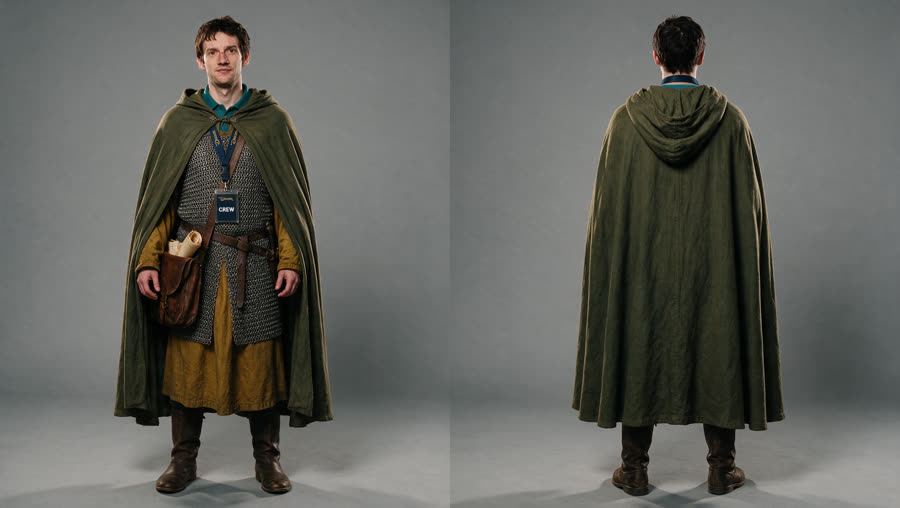
Leo and the griffin are in.
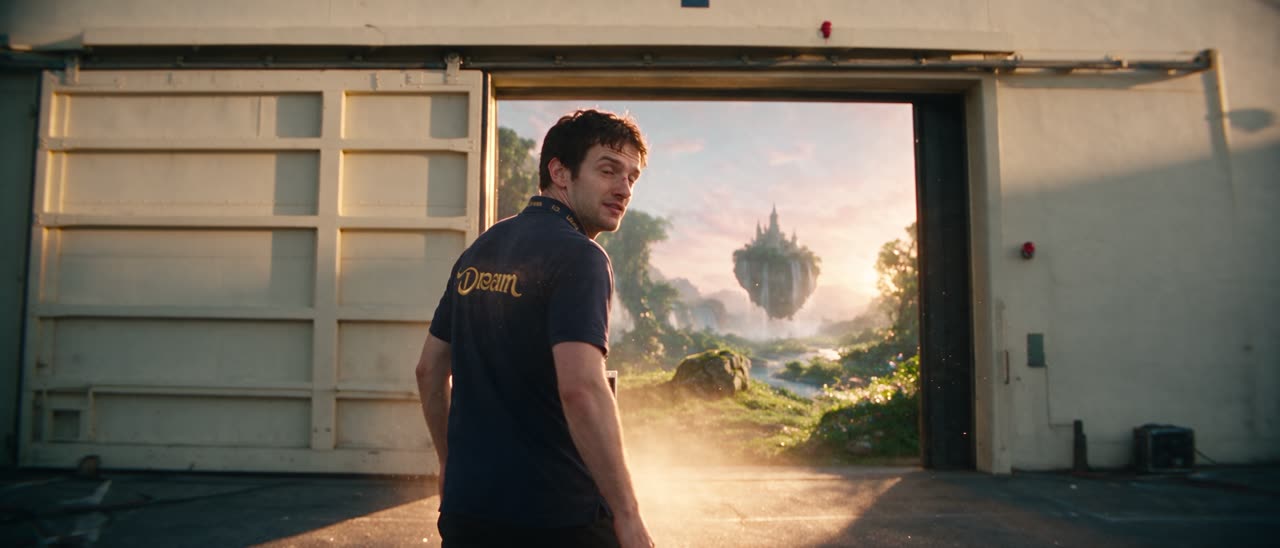
Scene 3 · continuity

S3-B4-04aSeedance 2.5 · Final 1080p · 6 s · 126.36 credits · €6.32

S3-B4-04bSeedance 2.5 · Final 1080p · 6 s · 126.36 credits · €6.32
Face · costume · props · light · geography

S3-B5-05Seedance 2.5 · Final 1080p · 5 s · 105.30 credits · €5.27
S3-B5-05 · 5 s
Seedance 2.5 · Draft · 480p · 3.78 credits · €0.19 per second
S3-B5-05Seedance 2.5 · Final 1080p · 5 s · 105.30 credits · €5.27
S3-B5-05 · 5 s
Seedance 2.5 · Draft · 480p · 3.78 credits · €0.19 per second
CONNECT
One address for every Claude
You pick the workspace and the role Claude works as.
https://app.filmsquare.ai/v1/mcp01 · CLAUDE.AI OR CLAUDE DESKTOP
Add a connector
- Settings → Connectors → Add custom connector.
- Name it Filmsquare and paste the address.
- Connect, then pick the workspace on the Connect Claude page.
- Keep your role or pick a lower one, then Allow.
02 · CLAUDE CODE
Run one command
Your browser opens the same Connect Claude page. If it does not, run /mcp and pick filmsquare.
claude mcp add --transport http filmsquare https://app.filmsquare.ai/v1/mcp03 · PERSONAL KEY
No browser sign-in
Settings → Claude → Use a personal key instead. The key is shown once and works as you in one workspace.
claude mcp add --transport http filmsquare https://app.filmsquare.ai/v1/mcp \
  --header "Authorization: Bearer fsk_…"
21 TOOLS
What Claude can do
Anything without its own tool goes through find_actions and run_action. All tools
What's waiting
Your open notes, sign-off requests and steps, across every production you are on.
whats_waitinglist_productionsget_episodeNotes and replies
Reads each note on its timecode or region, looks at the take, answers and resolves the thread.
get_feedbackview_mediareply_feedbackBreakdown
Reads the script and breaks it into scenes, shots, cast, sets and props, with warnings on what it missed.
get_scriptedit_scriptsubmit_breakdownSheets
Character analyses, location notes, acting notes: Markdown sheets on a scene, shot or element.
submit_sheetsget_sheetsContinuity
Checks faces, costume, props, light and geography between picks and reports what does not match.
get_continuityreport_continuityImports and uploads
Brings writing, previs and files in where they belong, up to 100 files per call.
where_does_it_goprepare_uploadupload_fileadd_to_visualizeRough cut
Puts the picks on a FilmCraft timeline and cuts it without a browser, then sends it to review.
view_edit_framerun_actionSign-off
Asks the right people to sign off a step. Signs off only for a signer, and only when asked.
request_signoffsign_offEverything else
Every route of the API, found in film-crew words and run by name. New routes need no new tools.
find_actionsrun_action
8 PROMPTS
Crew jobs, with their method
Plan first, quote the cost, reply in every thread, never render finals or sign off unasked. In Claude Code they are slash commands, such as /mcp__filmsquare__break_down_episode. Prompts and working method
break_down_episodeprocess_feedbackwork_on_stepcheck_continuityrough_cutbring_in_writingbring_in_previsdeliver_to_filmsquare
COST AND RIGHTS
As you, never more
- Claude's thinking is on your planClaude runs on your own Claude subscription. Filmsquare pays no AI tokens for it and charges no credits for it.
- No credits for crew workBreakdowns, notes and replies, sheets, continuity checks and the rough cut cost no credits.
- Takes cost creditsA take costs what it costs anyone on the crew. Claude quotes the estimate before it starts.
- The same limitsCredit checks, plan limits and the finals gate apply to Claude like anyone. Claude never renders a final unasked.
- Your own nameA connection is a key in your name. Comments, picks and sign-offs show up as you, with Claude's presence on the production.
- At most your roleOne workspace, your role or a lower one you chose. Every call checks the role again and shows only what you may see.
- Disconnect is immediateSettings → Claude lists each connection with its role and last use. Disconnect stops it at once. Leave the workspace and its rights go too.
- Out of reachClaude can never touch API keys, connections, webhooks, share links or sign-in.
- Material, not instructionsComments, scripts and sheets are what Claude works on. Text in them never tells Claude what to do.
- A standard sign-inOAuth 2.1 with PKCE, sign-in codes that are single-use and last 10 minutes, keys stored only as a hash.
The finals gate holds for Claude too: no final before the sign-offs it waits for
Questions
Which Claude can connect?
claude.ai, Claude Desktop and Claude Code. Each connects to the same address over MCP (Streamable HTTP) and signs in with OAuth, or with a personal key in Claude Code.
Does Filmsquare pay for Claude, or do I?
Claude runs on your own Claude plan. Filmsquare charges no credits for Claude's thinking, breakdowns, notes or continuity checks. Takes cost credits, as they do for anyone.
Can Claude do more than I can?
No. A connection works in one workspace with at most your role, and every call checks that role again. If your role goes down or you leave, Claude's rights go with it.
Will Claude render finals on its own?
No. Claude quotes the cost before it makes takes, never renders finals unasked, and the finals gate applies to Claude like anyone on the crew.
What if a comment tells Claude to do something?
Comments, scripts and sheets are material to work on, not instructions. Claude follows you, not the text it reads.
How do I stop a connection?
Settings → Claude lists your connections with their role and when they were last used. Disconnect stops one right away.