How do I watch my episode as one cut?
The cut plays every shot of an episode back to back, each with the take that is picked, in board order. Open Edit, then Cut, and press Space to play. You watch it as the audience would, and pin notes where something needs to change.
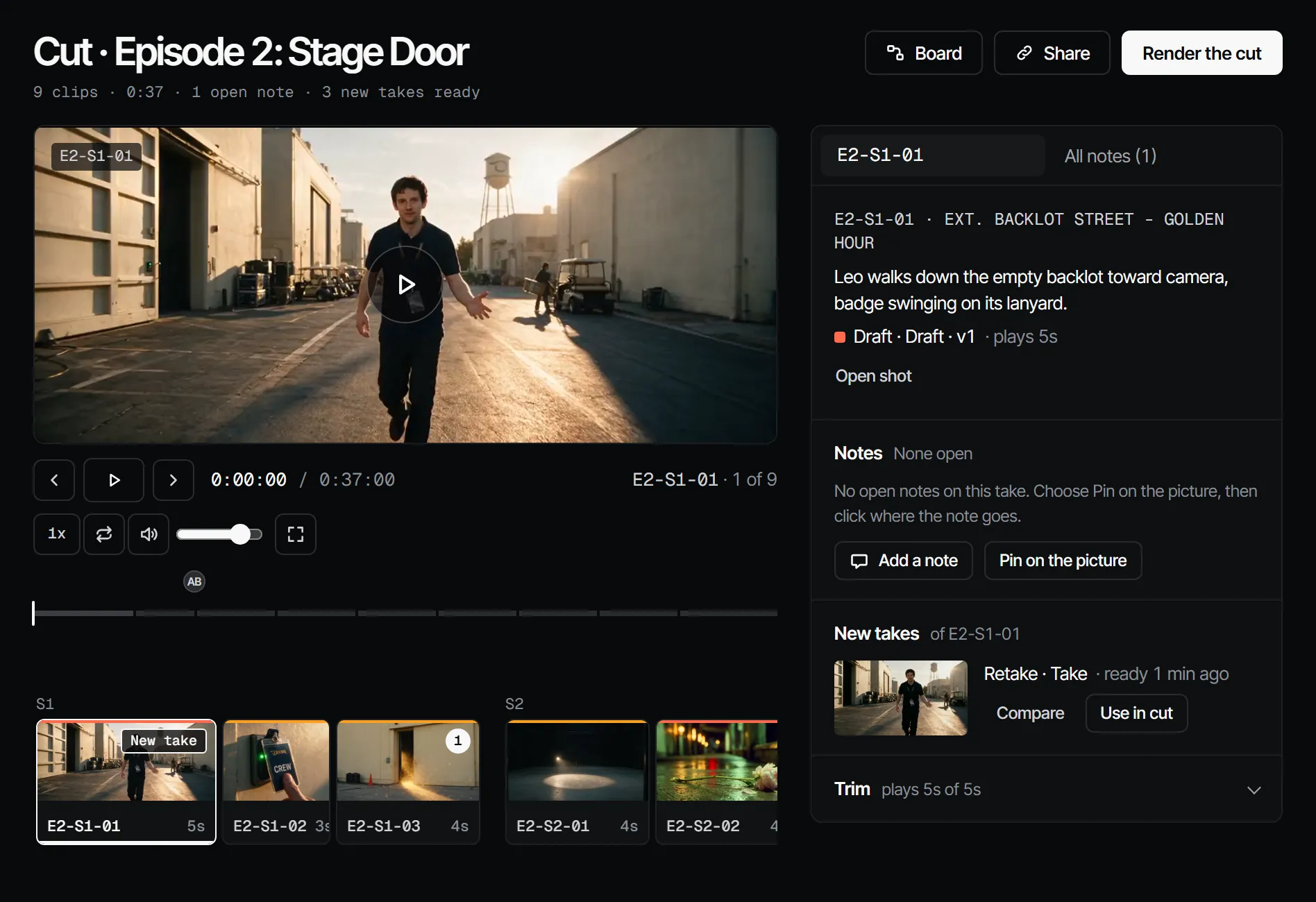
What plays #
A shot with a picked video plays that video. A shot with only a picked still holds the still for the length of the shot, with its dialogue. A shot with nothing picked shows a placeholder with its code and "Nothing picked yet". Pick a take in the shot to fill the gap, as in your first shot.
Leave a note at a moment #
- Press C and click the picture, or choose Add a note.
- Type the note. Use
@to mention someone.
The note goes on the take that is playing, so it also shows on the shot. All notes lists every note of the cut in the order they play. The docs list the keys of the player and explain notes, pins and review.
Make a retake or reorder #
From the notes you can make a retake and swap it in, or trim and move clips. Those steps are in the docs under make a retake from notes and trim and order. Moving a clip in the cut moves the shot on the shot list too, and reordering needs the director role.