How do I make my first shot?
On this page
You make a shot by describing it and choosing Generate. The button shows the price in credits and euros before anything is spent. When the take arrives, you decide whether it is the one.
Make the take #
- On Home, choose Make a shot. This opens Create, with no setup.
- Describe the shot in the composer. Type
@to call cast, sets and props you have already added. - Leave Model alone to let Filmsquare choose, or pick a model yourself.
- Check the price on the Generate button, then choose Generate.
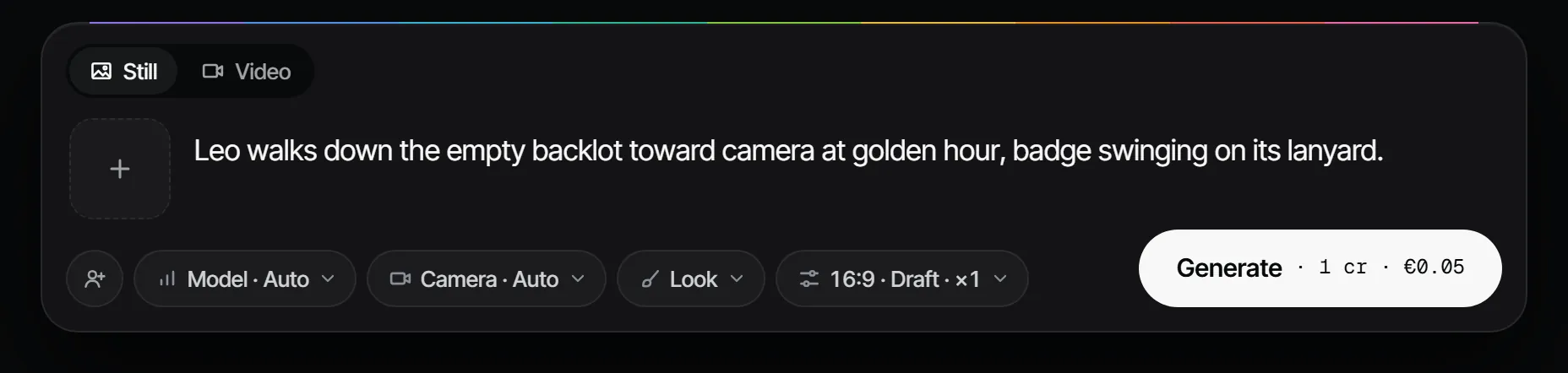
Unless you choose a model, Filmsquare picks the model with the lowest expected cost per accepted take. Filmsquare also adds the right reference pictures of each element for the shot's size and angle, so you do not drag references in by hand.
Pick the take #
Your takes appear in Create, newest first. From a take you can ask for Variations (two new drafts with the same prompt), Animate a still into a video, Make final, or Use in a production to place it on a shot.
In a production, open the shot and choose Pick this take. The pick is what the animatic, the cut and the finals use. Picking needs the director role or higher, and a new pick is added without overwriting the old one.
Do it inside a production #
A shot can also live in a production. Choose New production on Home, pick a starting point and a format, and add your crew. The shot then belongs to a scene and to the nine steps from script to final: see your first production.
More in the docs: making a take and where you see the price.