2.0 How a film is organised2.8 Credits and what things cost
Credits and what things cost
How credits work, what common takes cost, where you see the price, and what happens when credits run out.
You pay for takes in credits. Every model has one credit price per second or per still, the same on every plan, and Filmsquare always shows the euros next to the credits, so there is no fog of credits.
What a credit costs #
- Pay as you go, one credit is €0.05.
- On a plan, a credit costs less: see Plans, credits and packs.
- A model costs the same credits on every plan.
- Euros are excluding VAT.
What models cost #
Per unit, with the euros at pay as you go:
| Model | What | Per | Price |
|---|---|---|---|
| Seedance 2.5 | Draft video, 480p | second | 3.78 credits · €0.19 |
| Seedance 2.5 | Final video, 1080p | second | 20.92 credits · €1.05 |
| Seedance 2.0 Fast | Draft video, 480p | second | 2.07 credits · €0.10 |
| Kling 3.0 Pro | Draft or final video, with sound | second | 6.18 credits · €0.31 |
| Seedream 5.0 Pro | Still, up to 1.5K | image | 1.66 credits · €0.08 |
| Nano Banana 2 | Still, 1K | image | 2.47 credits · €0.12 |
| ElevenLabs v4 | Voice, about a minute | 1,000 characters | 2.94 credits · €0.15 |
A model can be used once its provider is switched on for the server; the Model menu lists only those. On app.filmsquare.ai, Seedance and Seedream are on. Kling 3.0 Pro and Nano Banana 2 show up in the menu once their provider is switched on.
Two examples #
| Take | Credits | Pay as you go |
|---|---|---|
| A 6-second draft, Seedance 2.5 | 22.70 | €1.14 |
| A 6-second final, Seedance 2.5 | 125.55 | €6.28 |
Where you see the price #
- Before you start: the Generate button carries the estimate, for example "1 cr · €0.05". Estimates round up to whole credits.
- Before the finals: the Render finals dialog shows the shots that will render, the Estimated cost, the model and what You have.
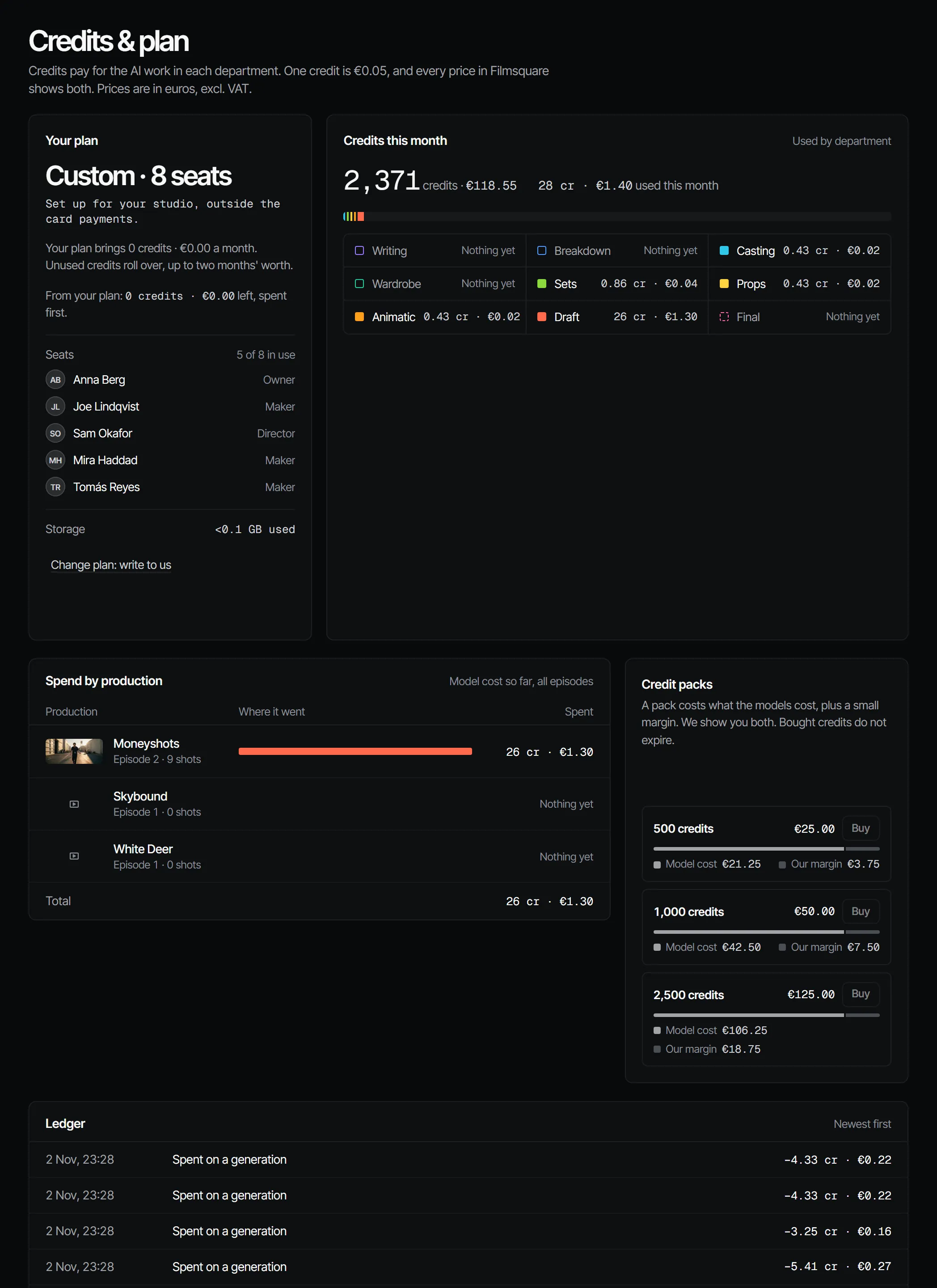
- Afterwards: each take shows its cost, and the Billing page shows the credits used this month per department and per production, and the ledger with every grant, spend and purchase at the exact amount.
- Always: the credits meter at the bottom of the sidebar.
How the model is chosen #
Unless you pick a model, Filmsquare routes each take to the capable model with the lowest expected cost per accepted take: its price divided by how often its takes get picked, made final or signed off in review. Until there is enough of that data, the cheapest capable model wins. A model you choose yourself always wins.
Free to spend #
A take in progress holds its estimate. What is free to spend is your balance minus everything still rendering.
A take that needs more than that is refused with 402 out_of_credits, before anything is sent to a model:
{"error": {"code": "out_of_credits",
  "message": "this needs 14 credits and 3 are free to spend",
  "details": {"workspaceId": "…", "needed": 13.35, "available": 3.2}}}
Buy a pack or add seats on the Billing page. See Plans, credits and packs.
Which credits go first #
Plan credits (the credits that come with your seats each month) are spent first, then the credits that expire first. Plan credits are for their month; credits you buy in a pack are valid 90 days.
What costs nothing on Filmsquare #
- Reading a script into scenes and shots with the Fountain reader.
- Everything your own Claude does over MCP: breakdowns, feedback, continuity checks. It runs on your own Claude subscription.
- Comments, sign-offs, the shot list and the cut.
Crew fees agreed in a brief are recorded on the assignment; they are not taken from your credits. See Briefs, assignments and deliveries.
Workspaces that are not metered #
Some workspaces are not billed in credits (self-hosted, or set up that way by us). Their Billing page says "This studio is not metered" and still shows what was used, in credits and euros.
With your own Claude #
Claude quotes the price before it renders anything. On the generate actions (generateForShot,
generateForScene, generateForElement) it sets dryRun: true: that shows the compiled prompt, the model, the
references and the credits, and makes nothing and spends nothing. The estimate actions (estimateShotGeneration,
estimateSceneGeneration, estimateReviseTake) still give the price on its own. All of them go through
find_actions and run_action.
The credits a dry run shows are the most that generation will cost. If the model's provider bills less, less is booked:
getGeneration shows estimated_credits next to booked_credits. The rule is per generation: an automatic new attempt
after a failed run is its own generation with its own estimate.
find_actions "model acceptance" gives the acceptance numbers per model and shot size.
With Claude
MCPYour own Claude does this over MCP, in your name and with your role:
find_actionsSearches everything the API can do and returns the matching actions with their inputs.
Ask: Find the action that changes a step's sign-off rule.
run_actionRuns one action found with find_actions, as you, with your role and rights.
Ask: Pick the second take of shot 5 on episode 2.
Connect Claude 5.1