2.0 How a film is organised2.4 Sign-off and gates
Sign-off and gates
How a step is signed off, who may sign, what makes a sign-off stale, and the gate in front of the finals.
Every episode moves through nine departments. A department is done when the people on its sign-off rule have signed off the current version. Nothing expensive renders before the cheap steps are signed off.
Who can sign off #
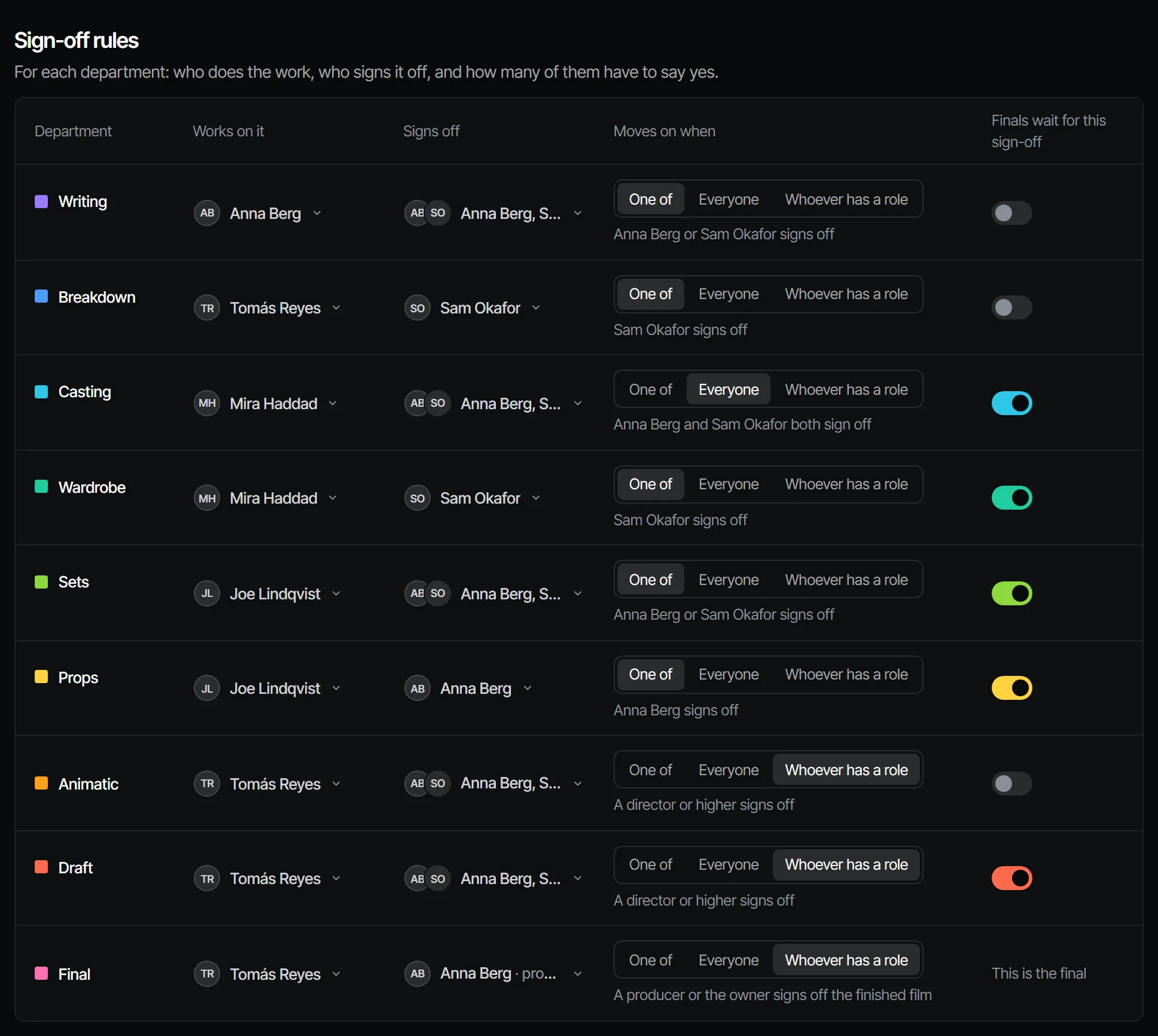
Each step has a sign-off rule. A producer or owner sets it on the Crew page of the production (Crew & sign-off → Crew).
| Rule | Signed off when |
|---|---|
| One of | One person on the list signs off |
| Everyone | Everyone on the list signs off |
| Whoever has a role | Someone with that role, or a higher one, signs off |
Without a list, a director or higher signs off. Someone who is not a signer gets a clear refusal
(403 not_a_signer), not a silent no-op.
Asking for a sign-off #
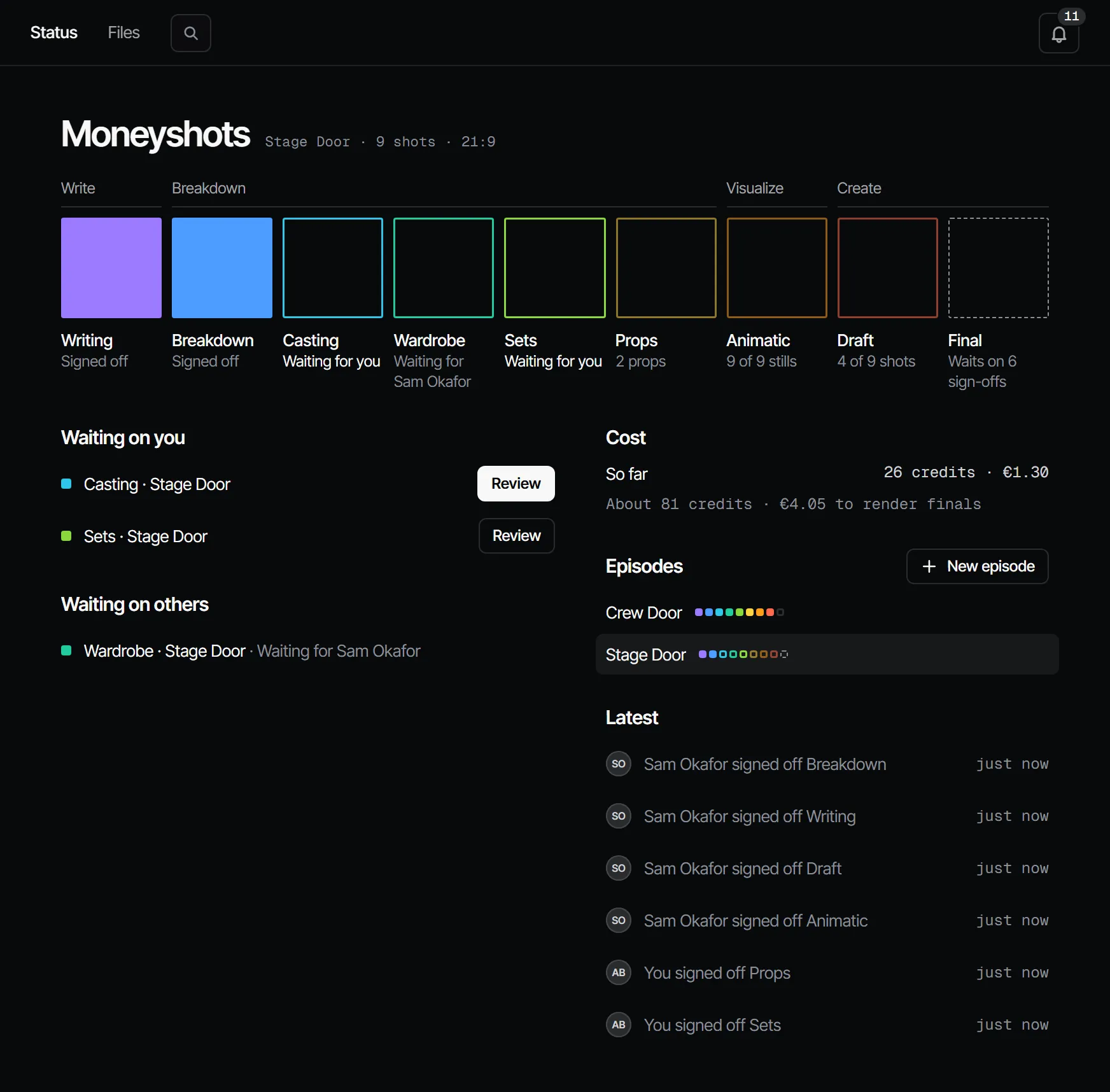
- Open the department, for example from its square on Home → Status.
- Choose Ask for sign-off and add a note: what changed, what to look at.
- The signers get a notification. They see the step under Waiting for you on Home, and in the sign-off queue on their phone.
Anyone with the maker role or higher can ask. See What's waiting on you for the signer's side.
Signing off or requesting changes #
A signer opens the step and chooses Sign off (the button names the department, for example Sign off casting), or Request changes with a note. Both are recorded in their name, with the version they looked at, and never change afterwards.
If the work changed while the signer was looking at it, the sign-off is refused (409 changed_since) and the app
loads the new work first. You sign off only what you saw. A step that is already signed off cannot be signed twice.
When a sign-off goes stale #
A sign-off belongs to a version. When the work under it changes, the step reads Changed after sign-off:
| What changes | Steps that go stale |
|---|---|
| A new script revision | Writing |
| A new version (v2 and up) of a cast member | Casting, Wardrobe and Voices, in every episode that uses it |
| A new version of a set | Sets, in every episode that uses it |
| A new version of a prop | Props, in every episode that uses it |
| A picked still | Animatic and Final |
| A picked dialogue, sound effect or music take | Animatic, Final, and Voices, Sound or Music when the production has it |
| A picked draft video | Draft and Final |
| A picked final video | Final |
| Any pick, when the production has an Edit department | Edit |
| A changed shot length | Animatic |
| A trim or a new order in the cut | Edit |
Staleness flows on to every step that depends on it: a new script revision also reopens Breakdown and everything after it.
The gate in front of the finals #
Lock finals until signed off is a switch per step on the Crew page. New productions switch it on for Casting, Wardrobe, Sets, Props and Draft; the Animatic always counts. Drafts render at any time.
A final asked for too early is refused with the departments it is waiting on:
POST /v1/workspaces/{ws}/shots/{shot}/generations
{"kind": "video", "tier": "final"}

409 Conflict
{"error": {"code": "gate_closed",
  "message": "finals render once casting, sets, animatic are signed off",
  "details": {"episode_id": "…", "waiting_on": ["casting", "sets", "animatic"]}}}
A shot that sits in no episode renders finals only in your sketchbook (Create). In a production, place it in an episode first.
Related #
With Claude
MCPYour own Claude does this over MCP, in your name and with your role:
request_signoffAsks the signers of a department step to sign off; they get a notification.
Ask: Ask the signers of the next step on episode 2 to sign off, with a note on what changed.
sign_offRecords your decision on a step: signed off or changes requested. Only when you ask it to decide.
Ask: Sign off the next step on episode 2 for me.
whats_waitingLists the steps waiting on your sign-off and your unread notifications.
Ask: What is waiting on me in Filmsquare?
Connect Claude 5.1