3.0 The departments3.11 Extra departments
Extra departments
Voices, Music, Sound and Edit are departments a production can add; each belongs to a core department and signs off like any step.
On this page
The nine departments are the spine of every production. A production can add four more where it needs them: Voices, Music, Sound and Edit. Each belongs to the core department it grows out of, sits right after it on Home → Status, has its own tab (Cast & sets → Voices, Edit → Music, Edit → Sound, Review → Player) and has requests, sign-off, staleness and per-item assignment like any other step.
| Department | Belongs to | What it does | Waits for | Feeds |
|---|---|---|---|---|
| Voices | Casting | Cast and record the voices of your characters | Casting | Animatic |
| Music | Animatic | Score the scenes, on the timing of the animatic | Animatic | Final |
| Sound | Draft | Effects and atmosphere for the scenes and shots | Draft | Final |
| Edit | Final | Assemble the cut from the picked finals and sign it off | Draft | Final |
Adding one #
- Open Crew & sign-off → Crew.
- Under Add a department, choose one of the Departments you can add, then Add.
- Set who works on it and who signs it off, like any department.
Only a producer or owner adds departments. To take one out again, skip it in the rules ("Skip Voices in this production"); a producer can turn it back on later. The nine core departments cannot be added or removed: every production has them. See Crew, roles and access.
Voices #
Each cast member reads Voice set, Dialogue take picked or No voice yet. Dialogue is generated per scene: one text-to-speech take per character. On ElevenLabs v4 that costs 2.94 credits · €0.15 per 1,000 characters, about a minute of speech.
Voices goes stale when a new version of a cast member comes in, or when a dialogue take is picked.
Music #
Music is picked per scene. Each scene reads its pick or No music yet. A music take comes in as a file you upload onto the scene. Picking music makes Music stale, and the Animatic and the Final with it.
Sound #
Sound effects are picked per shot and scene. A sound take comes in as a file you upload onto the shot or scene. Picking one makes Sound stale, and the Animatic and the Final with it.
Edit #
Review → Player plays the picked takes in cut order, with their notes. Trim opens the cut itself (Edit → Cut), to trim and swap takes. The Edit square on Home → Status opens the department, where each shot reads Final in the cut or No final yet; sign it off there or under Review → Player once the edit is right.
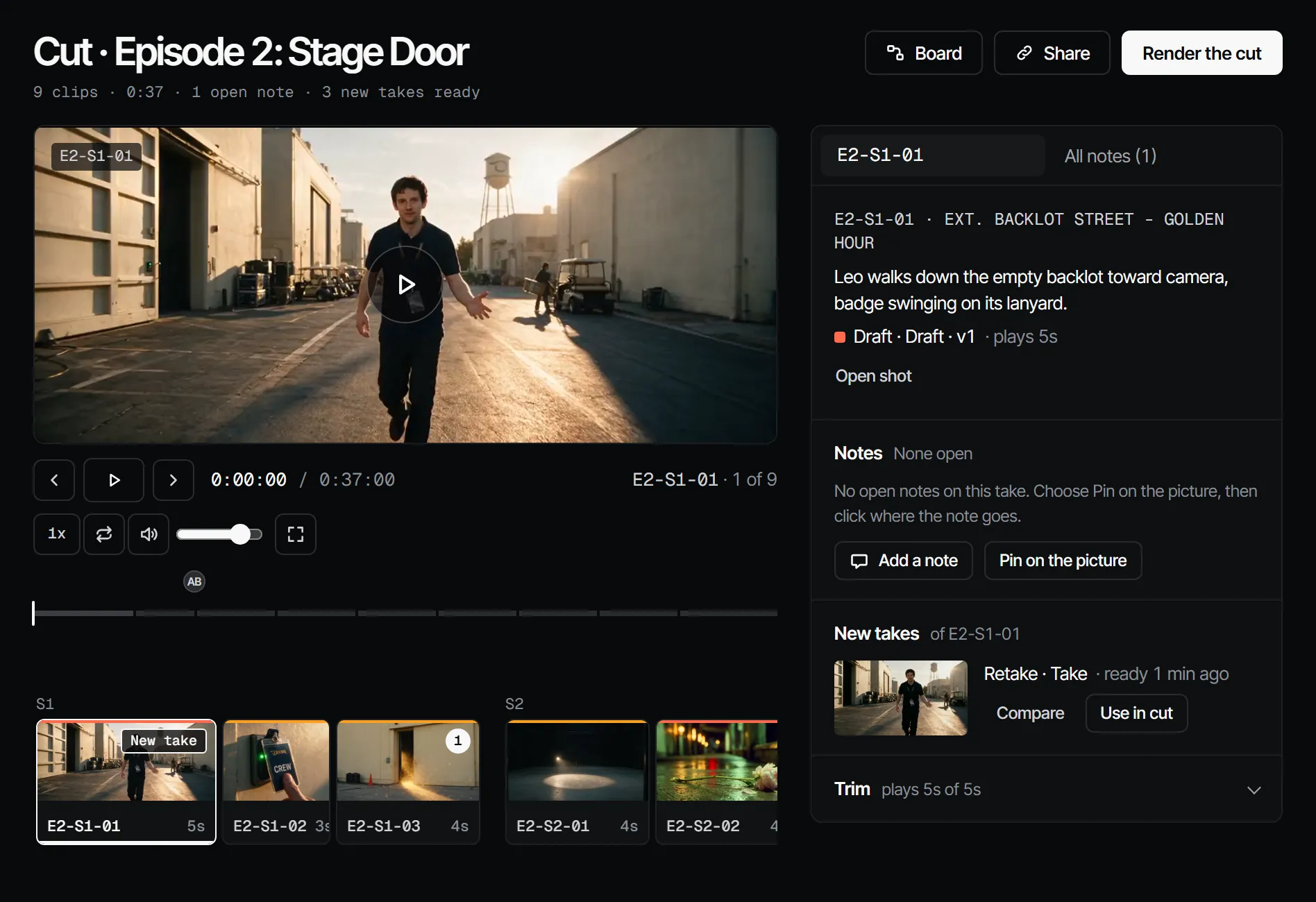
Any new pick makes the Edit stale, and so does a trim or a new order in the cut. See The cut.
With your own Claude #
The tools are under With Claude on this page. work_on_step takes the department voice, music, sound or
edit, and upload_file puts a file of up to 10 MB on a dialogue, sfx or music layer; dialogue takes (after
an estimate) and picks go through find_actions and run_action.
With Claude
MCPYour own Claude does this over MCP, in your name and with your role:
work_on_stepPromptA working method: prepares one department step of an episode for sign-off, with the cost first.
Ask: Use the Filmsquare work_on_step prompt for the next step on episode 2.
upload_fileAdds a file you have as a new take on a shot or scene, or as a production asset (10 MB at most).
Ask: Upload this reference photo to the assets of the production.
request_signoffAsks the signers of a department step to sign off; they get a notification.
Ask: Ask the signers of the next step on episode 2 to sign off, with a note on what changed.
sign_offRecords your decision on a step: signed off or changes requested. Only when you ask it to decide.
Ask: Sign off the next step on episode 2 for me.
find_actionsSearches everything the API can do and returns the matching actions with their inputs.
Ask: Find the action that changes a step's sign-off rule.
run_actionRuns one action found with find_actions, as you, with your role and rights.
Ask: Pick the second take of shot 5 on episode 2.
Connect Claude 5.1