4.0 Working together4.8 What's waiting on you
What's waiting on you
Where you find the steps waiting for your sign-off, how to go through them on your phone, and where your notifications land.
When someone asks you for a sign-off, it waits for you in three places: on Home, in the sign-off queue (made for a phone), and in your inbox. Your own Claude can read the same list.

On Home #
Home shows the production whose step waits for you, with its latest picked still, a line such as "Sets are waiting for you" and a button such as Review sets. Choose it to open that department, look at the work and decide.
When more steps wait for you, they are listed under Also waiting on you. Choose Go through them one by one to open the sign-off queue.
The sign-off queue #
The queue shows one item at a time, newest request first: the department, the production and episode, who asked and their note, and what changed. It is built for a phone, so you can sign off on set or on the way.
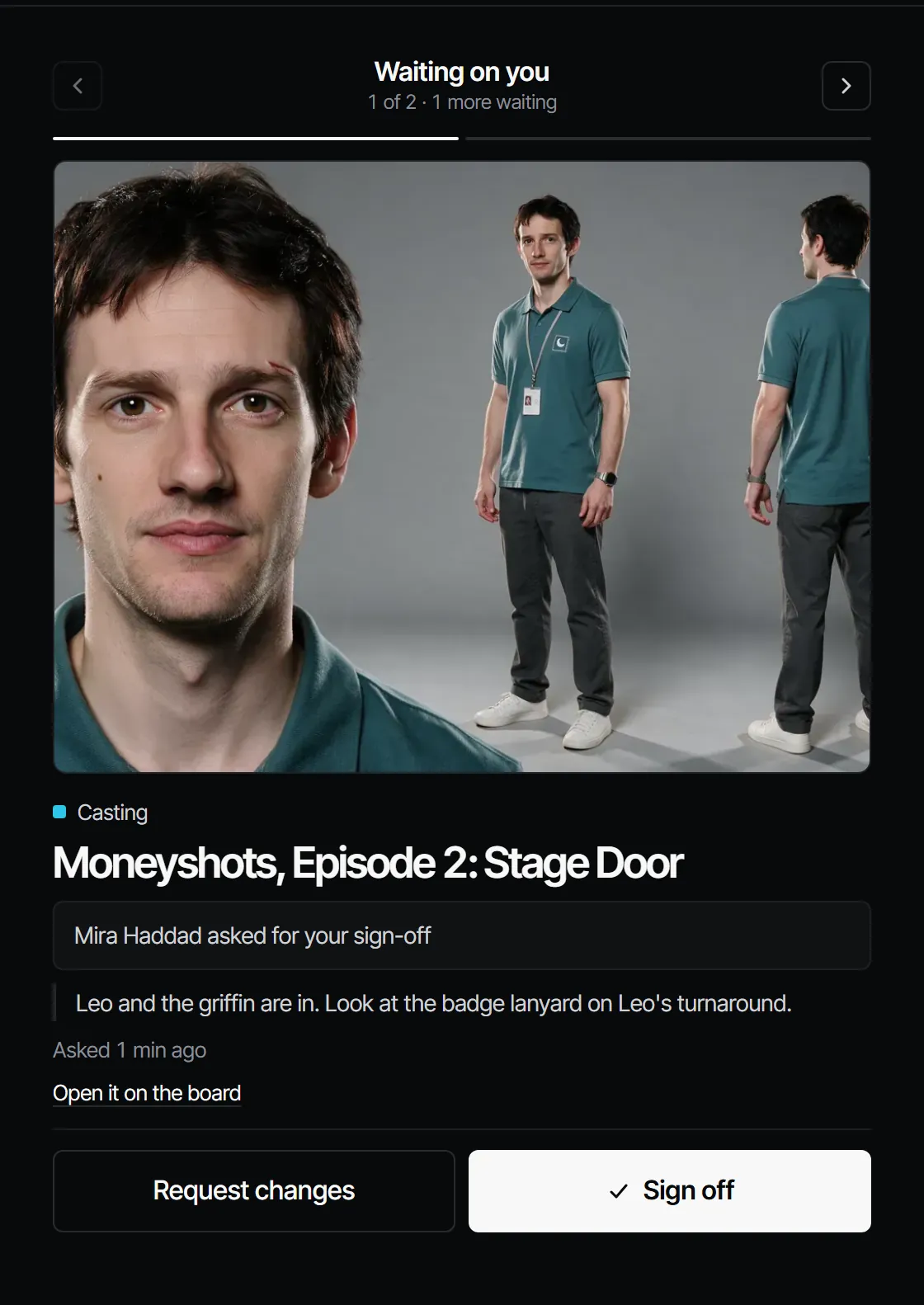
- Look at the work. For more, choose Open it on the board, or Open it with its comments for a draft or a shot.
- Choose Sign off, or Request changes and answer What should change?.
- The next item opens. Use Previous and Next to move without deciding.
When the queue is empty it says That's everything, with how many things you decided. If nothing waited to begin with, it says Nothing waits on you.
Only the people on a step's sign-off rule see it in their queue. See Sign-off and gates.
Your inbox #
The bell in the top bar shows how many notifications are unread. The Inbox holds mentions, replies, sign-off requests and deliveries; choose one to open the thing it is about. Mark all read clears the count. See Notes, pins and review.
The getting-started checklist #
Owners and producers see Getting started on Home until the workspace has done all four:
| Item | Done when |
|---|---|
| Make a shot | Someone made a first take |
| Invite your crew | Someone was invited, or the workspace has a second member |
| Ask for a sign-off | A department was sent to the person who signs it off |
| Connect your Claude | A Claude connection or a personal key was made |
It disappears once all four are done, or in this browser when you choose Hide.
With your own Claude #
Ask your Claude "What is waiting for me in Filmsquare?". It calls whats_waiting: the steps waiting on your
sign-off, with their version, and your unread notifications. It can show you the work with view_media and, only
when you ask it to decide, record your decision with sign_off. Claude never signs off on its own. See
What Claude can do.
Related #
With Claude
MCPYour own Claude does this over MCP, in your name and with your role:
whats_waitingLists the steps waiting on your sign-off and your unread notifications.
Ask: What is waiting on me in Filmsquare?
sign_offRecords your decision on a step: signed off or changes requested. Only when you ask it to decide.
Ask: Sign off the next step on episode 2 for me.
Connect Claude 5.1