3.0 The departments3.9 Draft
Draft
Draft shots are cheap video takes of every shot; the picked draft is what the final renders from.
Draft is where the shots move. Every shot gets a video take at draft quality: quick, cheap, good enough to judge the acting, the camera and the timing. The draft you pick is the one the final is rendered from.
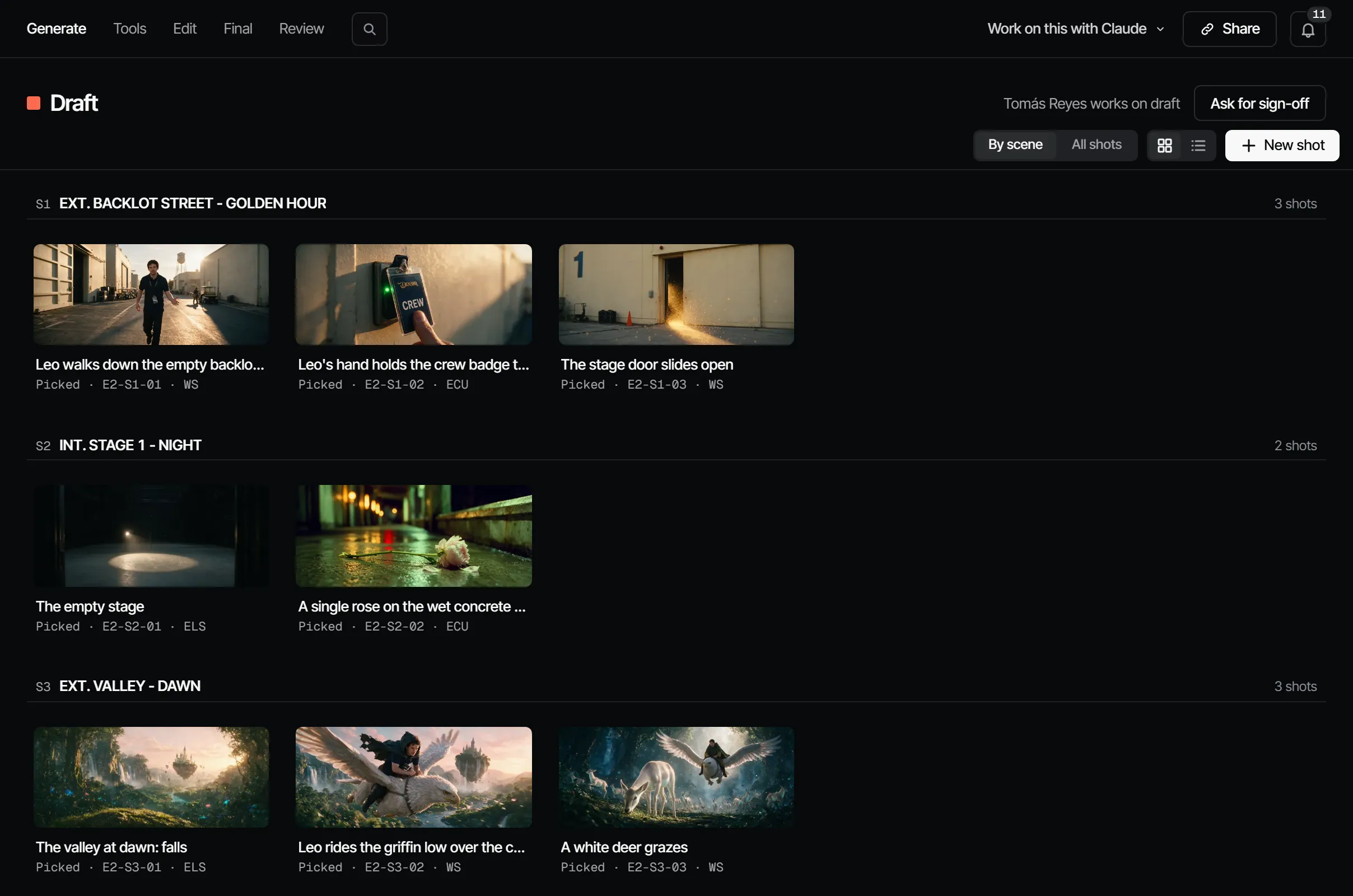
What this step produces #
A picked draft video per shot. Storyboard → Shots shows the shots of the episode; open one to work on it in the composer. Create → Tools does one operation on a take; see Tools.
Who works on it #
On a film crew, the director with the people who make the shots. In Filmsquare, the maker role and up can render takes, and picking a take needs the director role or higher (see workspace roles). A producer can assign people to the step, or to single shots.
How AI prepares it #
- Open a shot. With a picked still, choose Animate: the still becomes the start frame of a video.
- Or choose Video in the composer, describe the movement and choose Generate. Drafts render at any time; no gate stops them.
- Variations makes two new drafts with the same prompt and settings.
- Choose Pick this take on the best one.
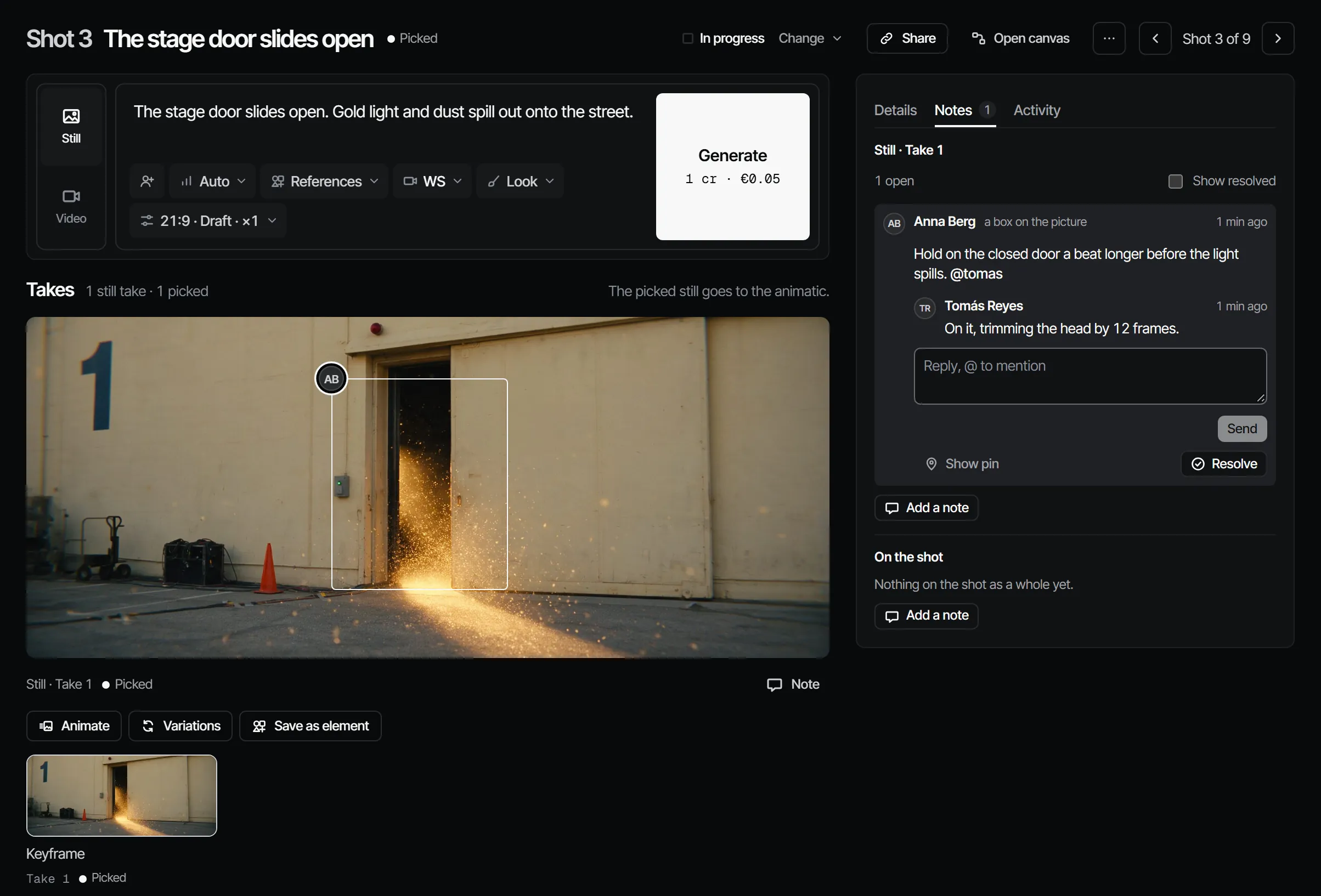
Notes on a draft can turn straight into a new take: in the cut, tick the notes under Retake from notes and choose Retake. See The cut and Takes, drafts and finals.
Signing it off #
Signing off the Draft says: these are the takes we render as finals. Draft locks the finals by default, in every template. Every final renders once, from its picked draft, with the same prompt and seed.
What makes it go stale #
Picking another draft video makes the Draft Changed after sign-off ("A new draft was picked after the sign-off"). So does anything before it: a new animatic pick, an element version, a new script. The change flows on to the Final.
What it costs #
| Model | Per second of video |
|---|---|
| Seedance 2.5, draft 480p | 3.78 credits · €0.19 |
| Seedance 2.0 Fast, draft 480p | 2.07 credits · €0.10 |
| Kling 3.0 Pro, draft or final, with sound (where the server offers it) | 6.18 credits · €0.31 |
A 6-second draft on Seedance 2.5 costs 22.70 credits · €1.14. Routing picks the model with the lowest cost per accepted take unless you choose one. A draft that is never picked costs only the draft price: it is never rendered as a final.
With your own Claude #
The tools are under With Claude on this page. Estimates, new takes, rerolls and picks go through find_actions and
run_action; Claude quotes the estimate before it generates, and never renders finals unasked.
With Claude
MCPYour own Claude does this over MCP, in your name and with your role:
work_on_stepPromptA working method: prepares one department step of an episode for sign-off, with the cost first.
Ask: Use the Filmsquare work_on_step prompt for Draft on episode 2.
get_episodeShows an episode's scenes and shots in cut order, every department step, and whether finals can render.
Ask: Where does episode 2 stand, and who is each step waiting on?
get_feedbackReads the comment threads on a shot, take, episode or element, with each pin's timecode or region.
Ask: Which notes are still open on episode 2?
reply_feedbackReplies in a comment thread as you, and resolves it once the note is handled.
Ask: Reply to the note on shot 4 that the new draft fixes the eyeline, and resolve it.
view_mediaLooks at a still, keyframe or take; video comes back as its poster plus a download link.
Ask: Show me the picked still of shot 3 and tell me if it matches its references.
request_signoffAsks the signers of a department step to sign off; they get a notification.
Ask: Ask the signers of Draft on episode 2 to sign off, with a note on what changed.
sign_offRecords your decision on a step: signed off or changes requested. Only when you ask it to decide.
Ask: Sign off Draft on episode 2 for me.
find_actionsSearches everything the API can do and returns the matching actions with their inputs.
Ask: Find the action that changes a step's sign-off rule.
run_actionRuns one action found with find_actions, as you, with your role and rights.
Ask: Pick the second take of shot 5 on episode 2.
Connect Claude 5.1