How do I leave a note on a shot or a moment in the cut?
Open the shot, press C to comment, click the picture for a point or drag for a box, and type your note. On a video the note is pinned at the moment you are on. Type @ and a name to mention someone.
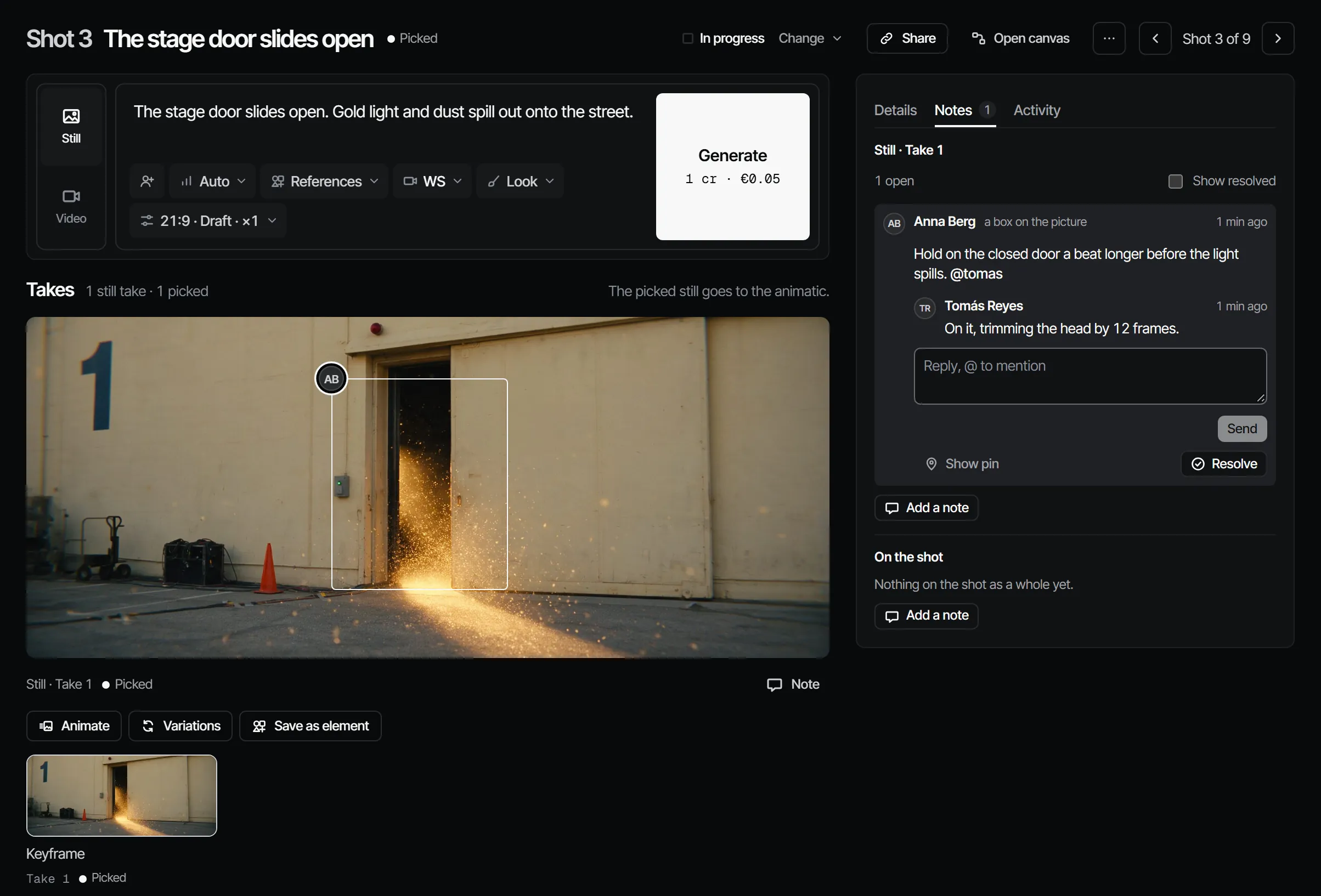
Pin a note #
- Open the shot, take, element or episode you want to comment on.
- Press C, or choose Pin under the notes.
- Click the picture for a point, or drag for a box. On a video the note goes at the playhead.
- Type the note and send it.
- Press Esc to leave note mode.
A note can also be about the item as a whole, without a pin: choose Add a note. Writing notes needs the reviewer role or higher.
Mention someone #
@name notifies that member, as long as they can see the production. People already in a thread get its replies. A word after @ that is not a person stays as text: it may be an element's @handle.
Reply, resolve, reopen #
Reply in the thread. Choose Resolve when the note is handled and Reopen if it is not. Resolved notes are hidden; turn on Show resolved to read them again. Messages are never edited or deleted: a correction is a new message.
When a newer version arrives #
A note belongs to the version that was on screen. Open notes from an earlier version are listed as comments on an earlier version. Choose Carry forward to open the same note, with the same pin, on the new version.
When you swap a retake into the cut with Use in cut, answered notes are resolved and the other open notes go along to the new take.
Notes on the cut #
Notes on the cut are made in Edit, then Cut, or in Review, in the player, next to what plays. See how do I watch my episode as one cut and notes, pins and review for what the player offers.
With your own Claude #
Your Claude can read every open note with its pin, look at the frame, and answer in the thread. See notes, pins and review.