Who can sign off a department, and how?
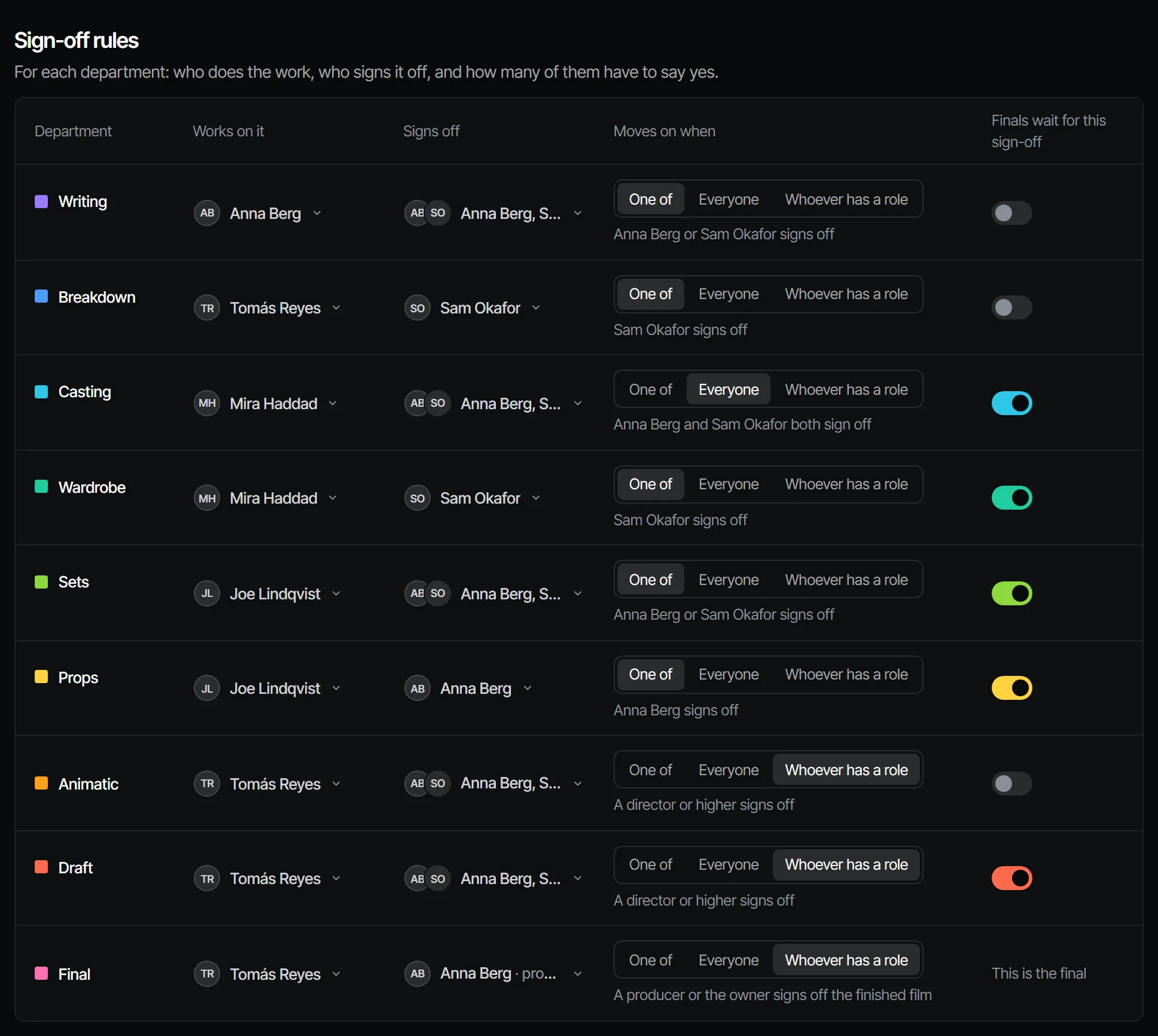
Each department has a sign-off rule, and only the people that rule names can sign it off. A producer or the owner sets the rules on the production's Crew & sign-off page. Without a list of signers, a director or higher signs off.
The three rules #
| Rule | The department is signed off when |
|---|---|
| One of | One person on the list signs off |
| Everyone | Everyone on the list signs off |
| Whoever has a role | Someone with that role, or a higher one, signs off |
The roles that can be chosen for a rule are owner, producer, director, maker and reviewer. Viewers cannot sign off.
How to set a rule #
- Open the production and choose Crew & sign-off.
- Under Sign-off rules, find the department's row.
- Under Signs off, choose the people, or the role when the rule is Whoever has a role.
- Under Moves on when, choose One of, Everyone or Whoever has a role.
The rule is saved as soon as you change it. Only a producer or the owner can change it; everyone else sees the rules as they are.
What a signer does #
A signer opens the department and chooses Sign off, or Request changes with a note. Both are recorded in their name, with the version they looked at. It works on a phone too, so you can sign off from the queue on set.
If you are not a signer for a department, Filmsquare refuses the sign-off and says so. Ask a producer to add you to the rule.

Does a sign-off stay valid? #
A sign-off belongs to the version that was signed. When the work under it changes, the department reads Changed after sign-off and needs a new sign-off. The docs list what makes a sign-off stale.
Can Claude sign off for me? #
Only when you ask it to decide. Your own Claude acts with your role and in your name, and it never signs off or requests changes unasked.
For the roles themselves, see crew, roles and access.