What is the difference between a draft and a final?
A draft is a quick, cheap take at lower resolution. You make as many as you need, pick the one you want, and render the final once, from that draft. A final is made from that draft, with the same prompt, at full quality.
What changes #
| Draft | Final | |
|---|---|---|
| Quality | Lower resolution (Seedance 2.5: 480p) | Full quality (Seedance 2.5: 1080p) |
| When | Any time | Once the finals gate is open |
| A 6-second take on Seedance 2.5 | 22.70 credits · €1.14 | 125.55 credits · €6.28 |
| Free plan | Yes | No: finals come with a plan or bought credits |
How a final is made #
There are two ways.
- In a shot, under a draft take that has finished rendering, choose Make final. The button carries the final's price. It is for the maker role and up.
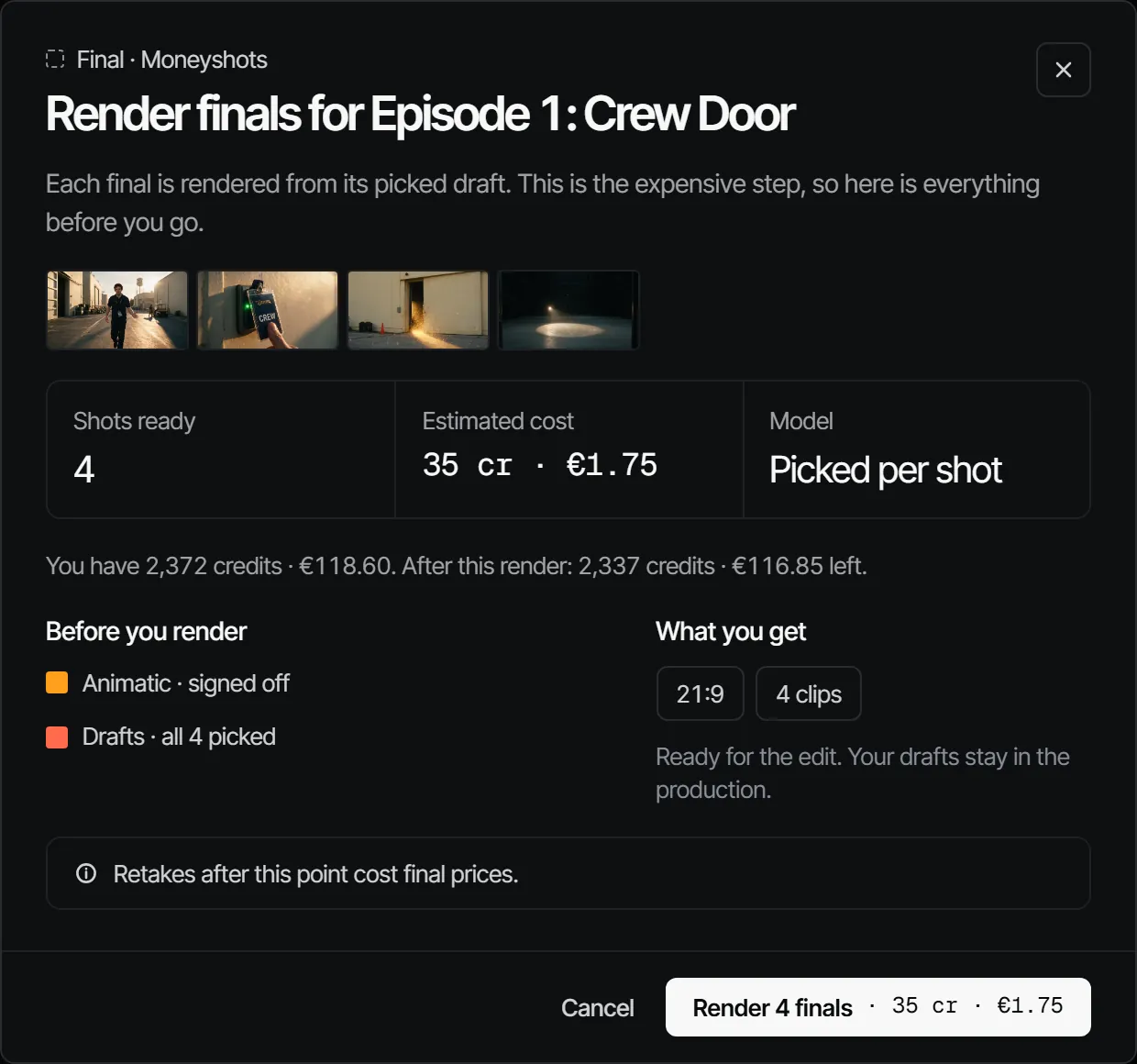
- For the whole episode, open Edit → Final and choose Render finals. The dialog lists the shots that are ready, the Estimated cost, the model and what You have. Shots without a picked draft, and shots that already have a final, are left out. It is for the director role and up.
Why a final can be greyed out #
Finals wait behind the gate: the animatic and every department with Finals wait for this sign-off switched on must be signed off first. While the gate is closed, Make final is greyed out and gives the reason. A final asked for too early is refused with the departments it waits on. See how the gate works.
After the final #
Any new pick in the episode makes the Final Changed after sign-off. A retake after this point costs final prices, which is why the dialog says so before you render. More in Takes, drafts and finals and Final.